Clients book on WhatsApp then don't show up. And you can't fill the slot in time.
Online Booking for Kenyan Salons, With M-Pesa Deposits
Cut no-shows with online booking and M-Pesa deposits.
Clients book their own appointments and pay a deposit by M-Pesa. No more back-and-forth on WhatsApp.
Hair salonsBarbershopsNail studiosLash and brow studiosSpas and wellness centresMassage therapistsSkin clinicsBeauty therapistsPersonal trainersTattoo studios
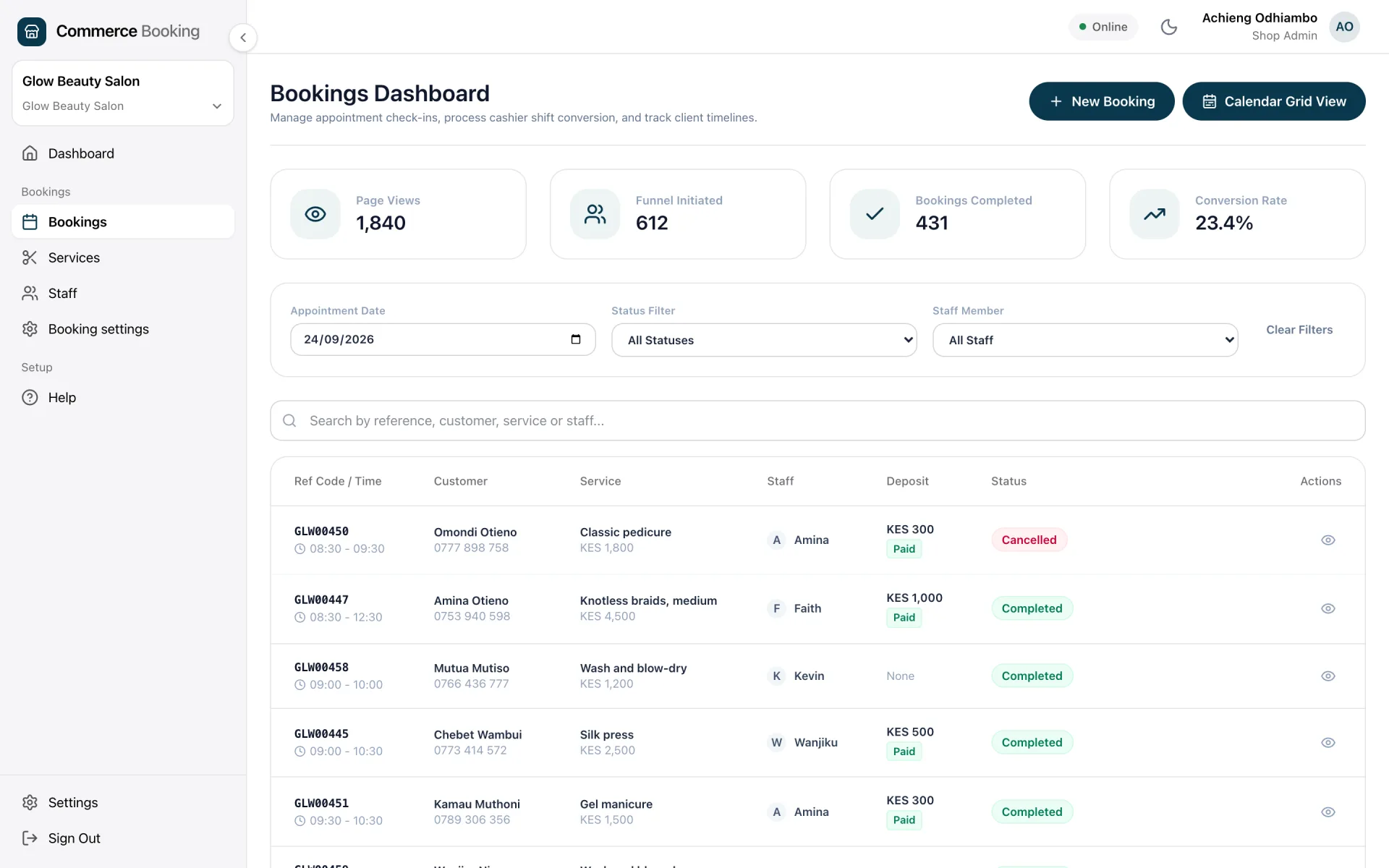
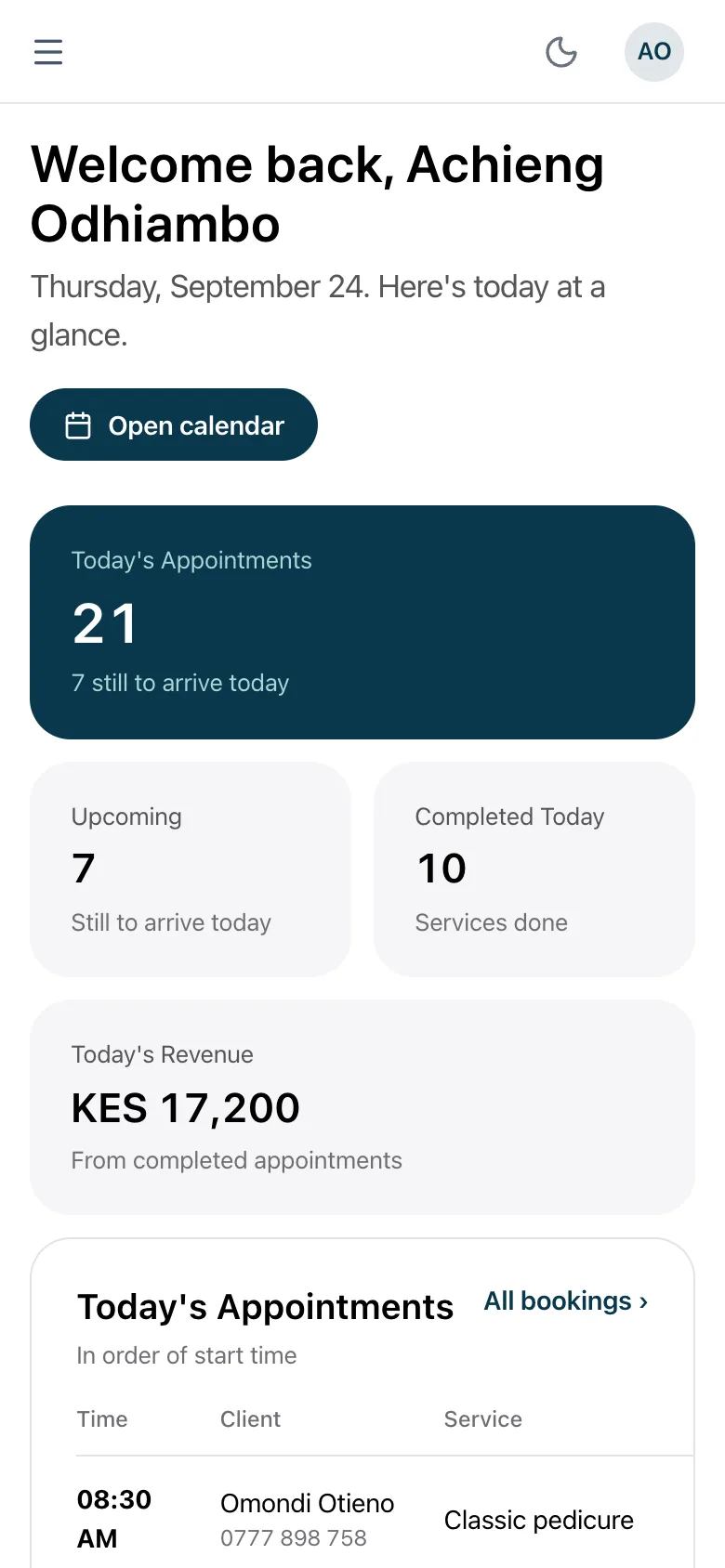
Screenshots of the real app, filled with sample data.
Sound familiar?
These are the booking problems most Kenyan salons deal with every week.
You're juggling bookings in a notebook, a spreadsheet, and three WhatsApp threads at once.
You have no way to collect a deposit upfront, so last-minute cancellations cost you real money.
Clients call during busy hours to ask about availability. You have to stop what you're doing to check.
When you have multiple stylists, tracking who has a client at what time is a constant headache.
There's no easy way to know which services or stylists are actually generating the most revenue.
What Webpinn Booking gives your salon
Every feature is built around how service businesses actually work.
Your own booking page
A professional public page at your own URL. Clients pick the service, choose a stylist, select a time, and pay a deposit. All without calling you.
M-Pesa deposits at booking
Set a deposit amount per service. Clients pay via M-Pesa STK Push when they book. No deposit, no confirmed slot. No-shows stop costing you money.
Per-stylist schedules
Each staff member has their own weekly availability and leave dates. Clients only see slots when their chosen stylist is actually free.
Service-to-staff assignment
Assign specific services to specific stylists. A client booking a keratin treatment only sees the staff qualified to do it.
Automatic email reminders
Clients receive a confirmation email when they book and a reminder 24 hours before their appointment. Staff are also notified automatically.
Staff commission tracking
Set a commission rate per stylist. Every appointment automatically records their commission. Pay them accurately at the end of the month.
Multiple branches
Each branch gets its own booking page with its own staff, services and availability. Clients book into the specific location they want.
Connects to your POS
When a client arrives, convert the booking to a sale in one click. The remaining balance (minus the deposit) is pre-filled. Sales flow into your reports automatically.
No-show protection
Appointments are automatically flagged as no-show 30 minutes after the scheduled end time. The client gets an email with a rebook link. Because they paid a deposit, you are partially covered.
How a client books
The full booking flow takes under two minutes on any phone.
- 1
Client opens your booking link
Share the link on WhatsApp, Instagram, or your website.
- 2
Picks a service
Sees your full service menu with duration and price.
- 3
Chooses a stylist and time
Only sees available slots for that stylist.
- 4
Enters contact details
Name, phone, and email.
- 5
Pays M-Pesa deposit
Receives STK Push, enters PIN. Confirmed in seconds.
- 6
Gets confirmation email
With appointment details and a cancel link.
What is included
- Public booking page (your URL)
- Service management
- Staff scheduling
- Per-stylist availability
- Staff leave dates
- M-Pesa deposit collection
- Deposit refund policy control
- Customer cancellation via link
- Staff cancellation via dashboard
- Email: booking confirmation
- Email: 24h reminder (client)
- Email: 24h reminder (staff)
- Email: cancellation notice
- Email: no-show notice
- No-show auto-detection
- Staff commission tracking
- Multiple branches
- Booking analytics
- Booking-to-POS-sale conversion
- PII auto-anonymisation (12 months)
Online Booking add-on, KES 500/month
It needs a WebpinnPOS Standard (KES 1,500/month) or Multi-Branch (KES 2,500/month) plan, and comes with a 14-day free trial.
Questions about salon booking
Can clients book from their phone without downloading an app?
Yes. Your booking page is a standard web page. Clients open it in any browser on any device. No app download required.
What happens when a client pays a deposit?
They enter their Safaricom number on the booking page and receive an M-Pesa STK Push. They enter their PIN and payment confirms within seconds. The deposit is recorded against their appointment automatically.
Can I assign specific services to specific stylists?
Yes. Each staff member has their own service list. A client choosing a hair treatment will only see the staff members qualified for that service.
What if a client does not show up?
Appointments are automatically flagged as no-show 30 minutes after the scheduled end time. The client receives an email with a rebook link. Because they paid a deposit, a no-show does not leave you with nothing.
Can I set different availability for different staff?
Yes. Each staff member has their own weekly schedule and can have specific leave dates blocked. The booking page only shows slots when that staff member is actually available.
Does it connect to my WebpinnPOS sales system?
Yes. When a client arrives, open their appointment and click Convert to Sale. The remaining balance (total price minus the deposit they already paid) is pre-filled. You choose the payment method for the balance and the sale is recorded in your POS reports.
Can I run multiple branches from one account?
Yes. Each branch has its own booking page URL, its own staff, its own services, and its own availability. Clients book into the branch they want. You see all branches from your dashboard.
Stop chasing bookings on WhatsApp
Give your clients a booking page, collect M-Pesa deposits and stop losing money to no-shows.
14 days free. No credit card required.